

Shrink it. Share it.
Turn videos and photos into smaller copies, ready to share quickly. Shrink directly in your Messages threads, or share to Whatsapp, Mail, Discord, and more. Your originals stay untouched.

Requires iOS 18 or later. iMessage integration requires Pro.
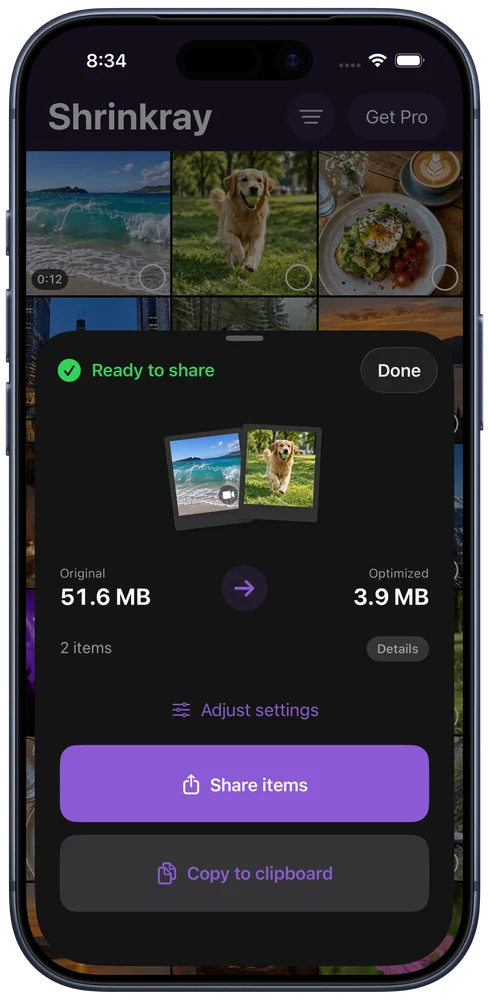
Reduce video file size
Make videos smaller for Messages, Gmail, Discord, WhatsApp, and more. Pick a quality preset, compare file sizes, and preview your video before sending.
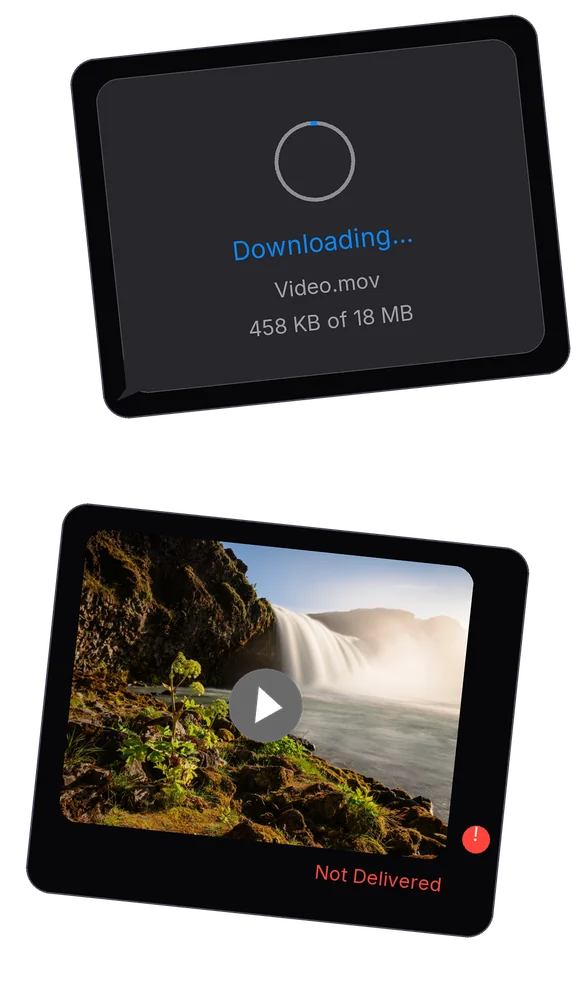
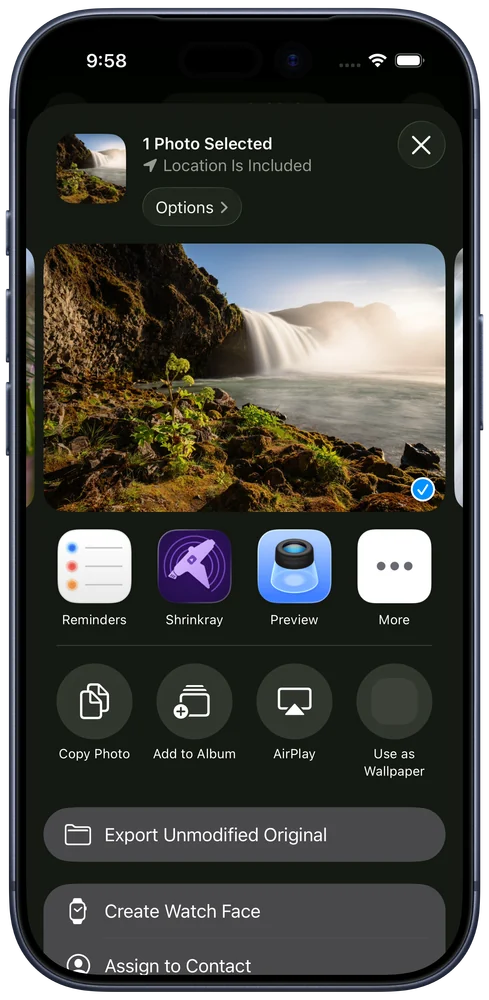
Compress from any app
Select photos or videos in any app that shares them, then choose Shrinkray from the iOS share sheet.
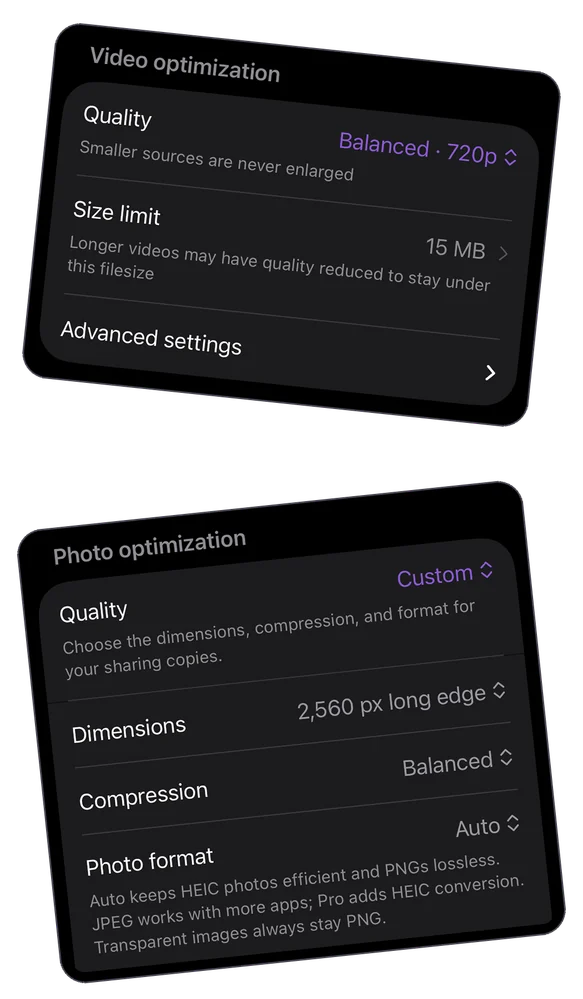
Reduce photo file size
Make image files smaller for sharing. Compare the original and compressed photo sizes, then zoom in to check the details. Your originals stay just as they are.
Custom photo quality requires Shrinkray Pro.
Shrinkray at a glance
Shrinkray is a photo and video compressor for iPhone running iOS 18 or later. It creates smaller copies for sharing, with no upload to a compression service.
| Feature | Free | Pro |
|---|---|---|
| One photo or video at a time | Included settings | More quality and format controls |
| Photos and Files sharing | Included | Included |
| Several items at once | Limited allowance | Unlocked after the allowance |
| Custom file size limits | — | Included |
| Split long videos | — | Included |
| Compress inside Messages | — | Included |
| On-device compression; originals kept | Included | Included |
| Purchase | Free download | One-time purchase; no subscription |
The app shows the current Pro price in your local currency before purchase. Smaller copies can lose detail; preview the result before sharing. Shrinkray does not automatically delete originals or free library storage.
How to compress videos and photos on iPhone
- Choose photos or videos in Shrinkray, or select them in Photos or Files and open Shrinkray from the share sheet.
- Pick a compression preset and shrink your selection. Compare the original and new file sizes, then check the result.
- Share the smaller copies through Messages, email, or the app you choose. Your originals stay untouched.
Your photos and videos are processed on your iPhone. There is no upload to a compression service.
Start free
Shrink one photo or video at a time with the included settings. You can also try shrinking several items together with a limited free allowance in the app and Photos sharing extensions.
More control with Pro
No subscription. A one-time purchase unlocks these Pro features for life:
- Shrink several photos and videos together after your free allowance runs out
- Shrink and attach photos and videos inside Messages
- Set custom file size limits and fine-tune photo settings
- Choose from more video quality settings and more efficient file formats
- Preserve smoother motion in videos
- Split long videos into smaller clips for sharing
The app shows the price in your local currency before you buy. See setup and purchase help.
Video and photo compression FAQ
Can I compress a video on iPhone for free?
Yes. Shrinkray lets you compress one video or photo at a time for free with the included settings. There’s also a limited free allowance for batches. Pro adds more quality settings, custom file size limits, and continued batch use. See how to compress a video on iPhone.
Can I reduce photo file size without changing the original?
Yes. Shrinkray creates smaller copies of your photos and videos for sharing. The originals in your library stay untouched. Pro adds custom photo dimensions, quality, and format controls.
Does compression reduce image or video quality?
Smaller files can lose detail, depending on the compression settings and the original. Choose a preset that balances size and quality, then preview the result before sharing. You can zoom in on photos to check the details.
Should I use 720p or 1080p for a video?
Try 720p for a short clip watched on a phone. Start with 1080p if small text or fine detail matters. Duration and bitrate also affect file size, so check the finished copy against your limit. Compare video compression settings.
How can I make a photo under 1 MB?
Start with the included settings and check the file size. If it’s still too large, Pro lets you adjust photo dimensions and compression quality. Check the upload’s required format and zoom in on any text before sending. See how to make an iPhone photo smaller.
Are my photos and videos uploaded for compression?
No. Photo and video compression happens on your iPhone, without uploading your media to a compression service. Read the Shrinkray privacy policy.
Video attachment limits FAQ
How big a video can I send by email?
Personal Gmail allows 25 MB total across attachments. Gmail uses a Drive link above its limit. Work accounts and other providers may have different limits. Apple’s Mail Drop supports messages up to 5 GB including attachments. See how to compress a video for email.
What is Discord’s video upload limit without Nitro?
Discord’s attachment FAQ lists 20 MB for users without Nitro, with experiments that can change what individual accounts see. Use the cap Discord shows you and check the finished file before uploading. See how to make a video fit Discord.
How big a video can I send on WhatsApp?
Videos shared as chat media have limits that can depend on your connection. WhatsApp allows up to 2 GB per file when you send it as a document. Compare WhatsApp video and document sharing.