
Shrinkray guide · iPhone
Compress iPhone Video Under 10 MB, 20 MB, or 25 MB
Fit an iPhone video under a form or chat’s file size limit. Aim a little below the maximum, then check the finished size and quality.
Updated

iPhone · iOS 18 or later · Free with optional one-time Pro purchase
Leave room below the maximum
Leave a little room below the upload limit and check the finished file. For example:
- Under 10 MB: aim for 9 MB.
- Under 20 MB: aim for 19 MB.
- Under 25 MB: aim for 24 MB.
These are example targets, not named Shrinkray presets or guaranteed output sizes. Check your destination’s current limit before choosing one.
If the limit applies to the whole message, subtract the size of your other attachments too. The email guide explains that combined budget.
Choose the limit in Shrinkray
- Select the video. Choose it in Shrinkray or open it from the Photos or Files share sheet.
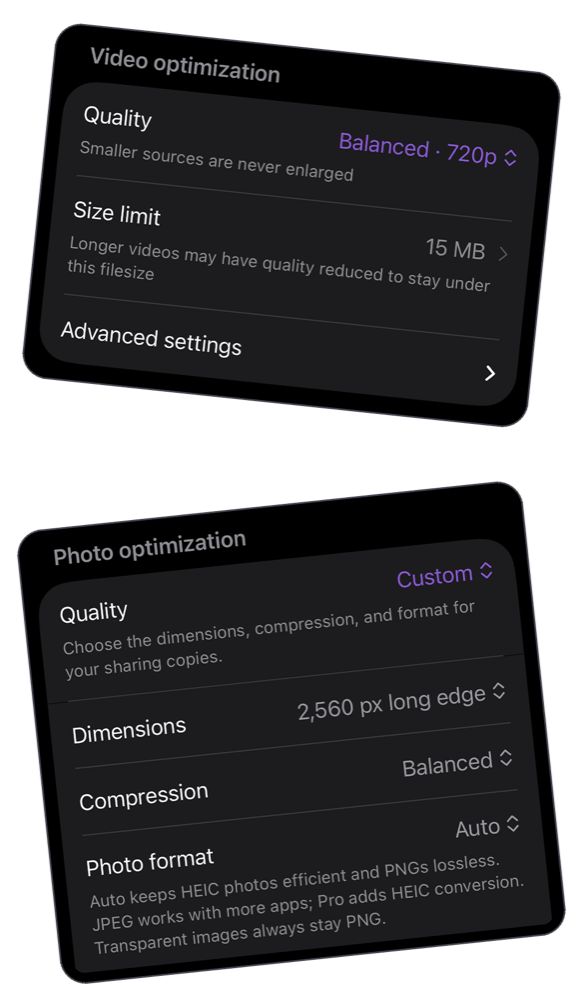
- Choose a target size. An included preset may already be below your limit. With Pro, use the custom file size controls to set your own limit.
- Compress and compare. Check that the finished file is below the upload limit.
- Preview the quality. Check faces, movement, small text, and audio before uploading the smaller copy.
When one small file loses too much detail
Duration matters. A ten-minute recording has more video to fit into 10 MB than a ten-second clip. A smaller target can mean less detail or less smooth motion.
If the result is not useful, try a larger target when the destination allows it. Otherwise, share a shorter excerpt, use Pro’s automatic splitting, or send a link to the original. Splitting makes several files; it does not reduce the total attachment budget of a single email.
Free presets or custom controls?
One video at a time is free with the included settings. Custom file size limits require Shrinkray Pro, a one-time purchase. You may not need a custom limit if an included preset already produces a file small enough for your destination.
Shrinkray keeps your original untouched. If you try again, start with that original rather than repeatedly compressing the smaller copy.
A measured example
The same 24.42 MB synthetic video produced 7.80 MB with a 9 MB budget and 15.59 MB with a 19 MB budget. The smaller budget also reduced frame dimensions. See the samples and full method. These are synthetic shared-encoder tests on macOS, not typical iPhone results.
Try Shrinkray for free.
Compress one photo or video at a time with the included settings. Your originals stay untouched.
iPhone · iOS 18 or later · Free with optional one-time Pro purchase