
Shrinkray guide · iPhone
How to Send Videos on Discord from iPhone Without Nitro
Make an iPhone video small enough for a Discord chat or server. Compress a copy, check the picture and sound, and attach it to your message.
Updated

iPhone · iOS 18 or later · Free with optional one-time Pro purchase
Check your Discord limit
Discord’s attachment FAQ currently lists a 20 MB upload limit without Nitro, though limits may vary for accounts in experiments. Use the limit shown in your app. Discord checks file size before its own compression, so Data Saver will not help an oversized file upload.
Leave room below the limit. For example, aim for 19 MB under a 20 MB cap, then check the finished size. This is an example target, not a named Shrinkray preset.
Compress and upload the clip
- Choose the video. Open Shrinkray and select the clip, or select it in Photos or Files and choose Shrinkray from the share sheet.
- Choose a smaller size. Try an included preset below the upload limit. Pro adds custom file size limits if you want to choose your own target.
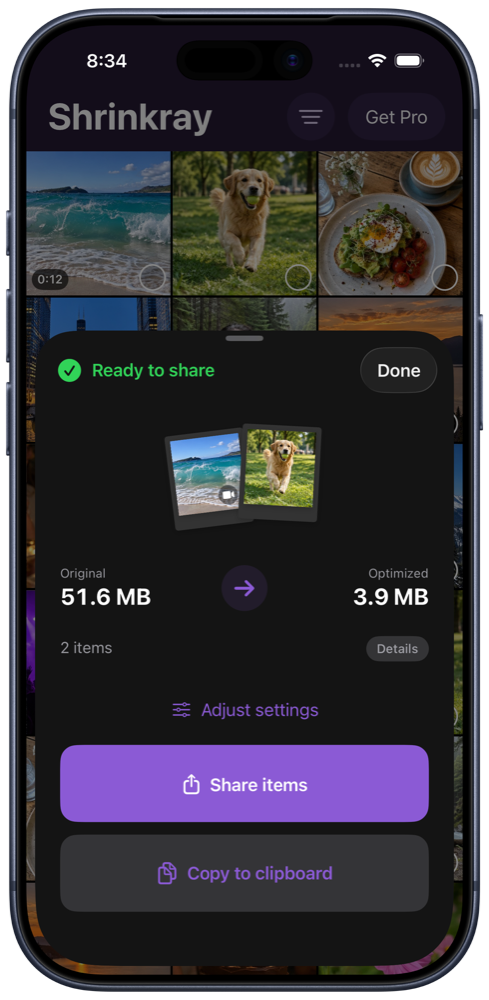
- Check the result. Compare the file sizes and play the video. Look at fast movement and any small text, and listen to the audio.
- Attach the copy. Share it to Discord when available, or save the smaller copy and attach it in the channel or conversation using the plus button and Upload a File.
If Discord still rejects it, check that you selected the compressed copy rather than the original.
When the video is too long
A long recording squeezed into a small file can lose too much detail. Try sharing a shorter excerpt, use Pro’s automatic video splitting, or send a download link if keeping the original quality matters more.
Splitting creates several clips. Check that each one fits the limit and that the sequence is easy to follow.
What is free?
Compressing one video at a time with the included settings is free. Custom size limits, more video settings, and automatic splitting require Shrinkray Pro, a one-time purchase. Your Discord upload limit still applies.
Shrinkray processes the copy on your iPhone and leaves the original untouched. Sending it to Discord then uploads that copy to Discord.
Try Shrinkray for free.
Compress one photo or video at a time with the included settings. Your originals stay untouched.
iPhone · iOS 18 or later · Free with optional one-time Pro purchase