
Shrinkray guide · iPhone
Split a Long iPhone Video into Smaller Clips
A long recording can lose too much detail when squeezed into one small file. Let Shrinkray Pro split it into shorter clips when needed for your size limit.
Updated

iPhone · iOS 18 or later · Free with optional one-time Pro purchase
When splitting helps
A long video can lose detail when compressed into one small file. Splitting can give each part more room for detail while keeping individual clips small enough to send.
Shrinkray splits automatically when needed based on the video and your settings. You cannot choose the cut points, and clips may differ in length. If you only need one moment, trim a copy in Photos first.
Enable automatic splitting with Pro
- Choose the recording. Select a long video in Shrinkray, or open it from Photos or Files through the share sheet.
- Choose your size limit. Pick a limit below the destination’s maximum.
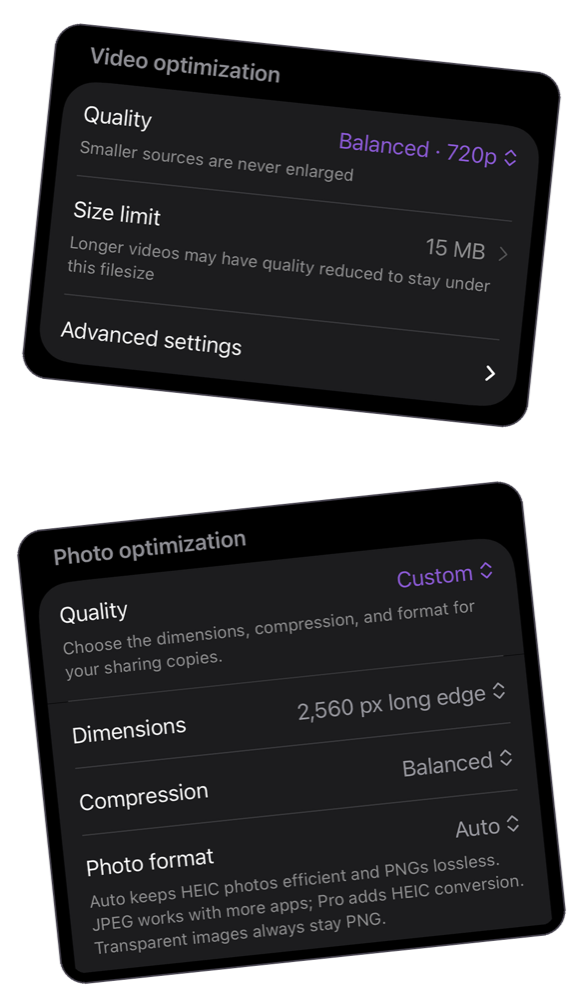
- Allow splitting. In the video settings, open Advanced settings and enable Split long videos if needed.
- Compress and review. If Shrinkray needs to split the recording, check the resulting clips, their order, playback, and file sizes before sharing.
Shrinkray may also offer a Split for better quality? prompt for a long video. Choose Split into clips to use that option. If the video already fits without splitting, enabling the setting may still produce one file.
Send the clips in order
Share the resulting clips through your destination app and check the attachment order. If it limits the number of files, send smaller groups. In the Shrinkray Messages app, follow the copy-and-paste instructions for multiple results.
Check how the destination counts size. Discord can limit each upload, while an email service may count all attachments in one message. Putting every clip into one email does not avoid that combined limit.
When to keep one file instead
If the recipient needs a continuous recording or the original quality, consider a download link. Splitting is useful for smaller attachments, but separate clips may be less convenient for a full presentation or performance.
Automatic splitting requires Shrinkray Pro, a one-time purchase. Shrinkray keeps your original video untouched, so you can choose another way to share it later.
Try Shrinkray for free.
Compress one photo or video at a time with the included settings. Your originals stay untouched.
iPhone · iOS 18 or later · Free with optional one-time Pro purchase