

Shrinkray guide · iPhone
PureStatus vs Shrinkray for WhatsApp Status on iPhone
PureStatus prepares photos and videos for WhatsApp Status. Shrinkray makes smaller copies you can post to WhatsApp, Instagram, TikTok, Snapchat, or any social app that accepts the file format you export.
Updated

iPhone · iOS 18 or later · Free with optional one-time Pro purchase
Compare the two workflows
| Feature | PureStatus | Shrinkray |
|---|---|---|
| Preparing a Status | Choose a photo or video, compress it, and share it to Status. | Choose a preset and compare file sizes. Save the copy and select it in WhatsApp. |
| Sharing across social apps | The compression workflow is designed around WhatsApp Status. | Share directly to compatible apps or save the copy and upload it from Photos. |
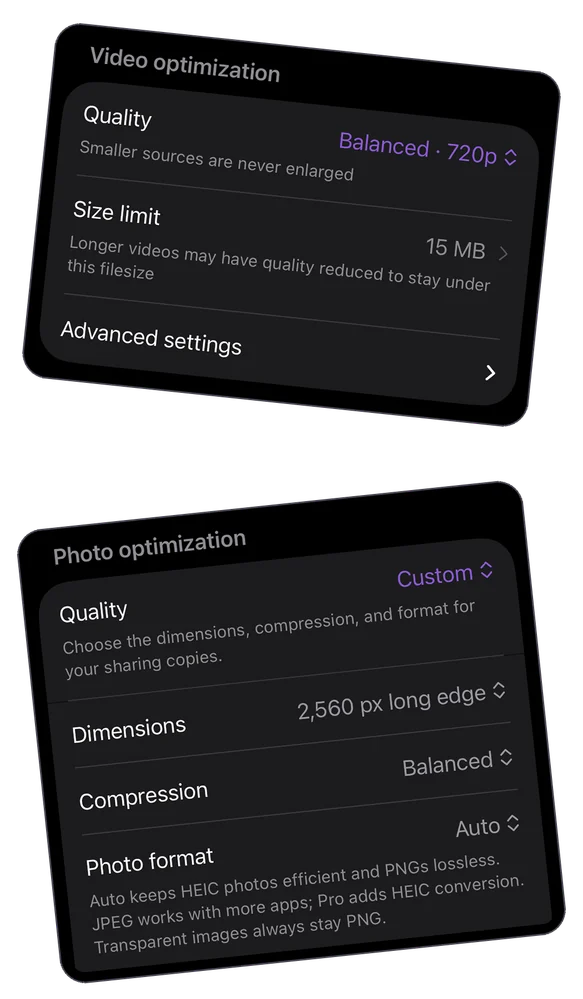
| More control | Its listing describes tools for reframing and splitting Status videos. | Pro adds custom file size limits, more video settings, and automatic splitting. |
| Processing | The developer says compression runs on the phone. Its optional AI tools upload selected media. | Compression runs on the iPhone and creates a separate copy. |
| Payment | Free download with in-app purchases, including Premium subscriptions. | Free single-item compression with included settings. Pro is a one-time purchase. |
| iPhone compatibility | iOS 17 or later | iOS 18 or later |
Share a Shrinkray copy to any social app
Compress your photo or video, then tap Share in Shrinkray. Choose the social app if it appears in the iPhone share sheet. Otherwise, save the copy to Photos, open the app, and select that copy when you create a post or story. You can use the same export in multiple apps.
Each app sets its own accepted formats, file size limits, and video durations. For an upload with a specific size cap, see the guide to choosing a file size target.
Check which export looks better after posting
Start both apps from the same short original and keep the same crop and duration. Upload the original and both exports to the same limited Status audience. Ask a contact to play them on one phone and compare the same movement, faces, and text. If they look similar, use file size and the effort it took to make each version to decide.
WhatsApp can soften a sharp export during upload. Our WhatsApp Status troubleshooting guide shows how to isolate that step before changing your compression settings.
Sources
- App Store: PureStatus by DamTech Designs
- App Store: Shrinkray by Here Comes Supper
- Apple’s guide to sharing photos and videos on iPhone
- WhatsApp Help Center: How to create and share a status on iPhone
Reviewed November 15, 2026. App options and destination limits can change.