

Shrinkray guide · iPhone
How to Fix Blurry WhatsApp Status Videos on iPhone
When a video looks sharp in Photos and blurry on WhatsApp Status, compare what you uploaded with what a contact sees. That tells you where the detail was lost.
Updated

iPhone · iOS 18 or later · Free with optional one-time Pro purchase
Check where the blur starts
Play the original from your camera or editor in Photos. Pause on a face or a line of small text. If that detail is already soft, look for a sharper original. Compression can make a file smaller, but it cannot restore missing detail.
If the original looks sharp, check the posted Status on another phone. WhatsApp says Status uploads can lose quality and its HD option for chats does not apply to Status. A local preview can look sharper than the posted version.
Compare the original with a smaller copy
- Pick a short test clip. Trim a copy before compressing, then use that same excerpt for both uploads.
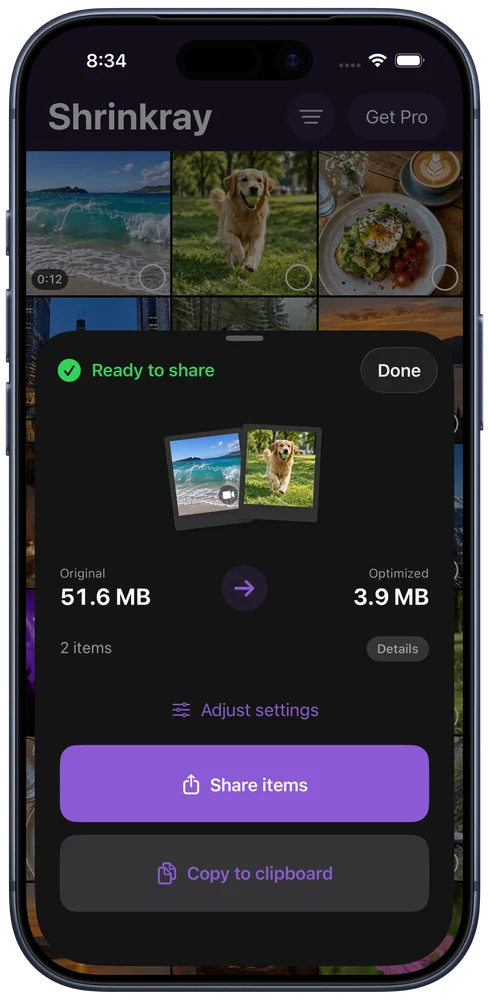
- Make one smaller copy. Open the clip in Shrinkray and try an included preset. Compare the file sizes and play the result. If motion or text already looks worse in the preview, try a gentler setting using the original excerpt.
- Post both versions. In Shrinkray, use Share to save the copy to Photos. In WhatsApp, go to Updates → Add status and select the clip. Use the same small audience and the same crop for both posts. Skip effects while testing so you can compare the files themselves.
- Ask a contact to watch both. Have them play the same moment on the same phone and compare faces, motion, and text. If the original looks better after posting, use the original.
If both versions still look blurry
Try a short clip with good light and larger text. Fine detail and fast motion can look worse after compression. For a clip WhatsApp asks you to shorten, trim it in the Status editor or split it into several clips and post them in order.
When someone needs the full-quality file, send the original as a document in their chat. They can open the file directly.
WhatsApp Status quality FAQ
How long can a WhatsApp Status video be on iPhone?
WhatsApp’s iPhone help lists up to 90 seconds per Status video. Use the trim slider if your app asks you to shorten the clip.
Does compressing a video first always make Status look sharper?
The result depends on the source, your export settings, and how WhatsApp processes the upload. Compare the posted versions on a contact’s phone before choosing one.
Sources
Reviewed November 15, 2026. App options and destination limits can change.